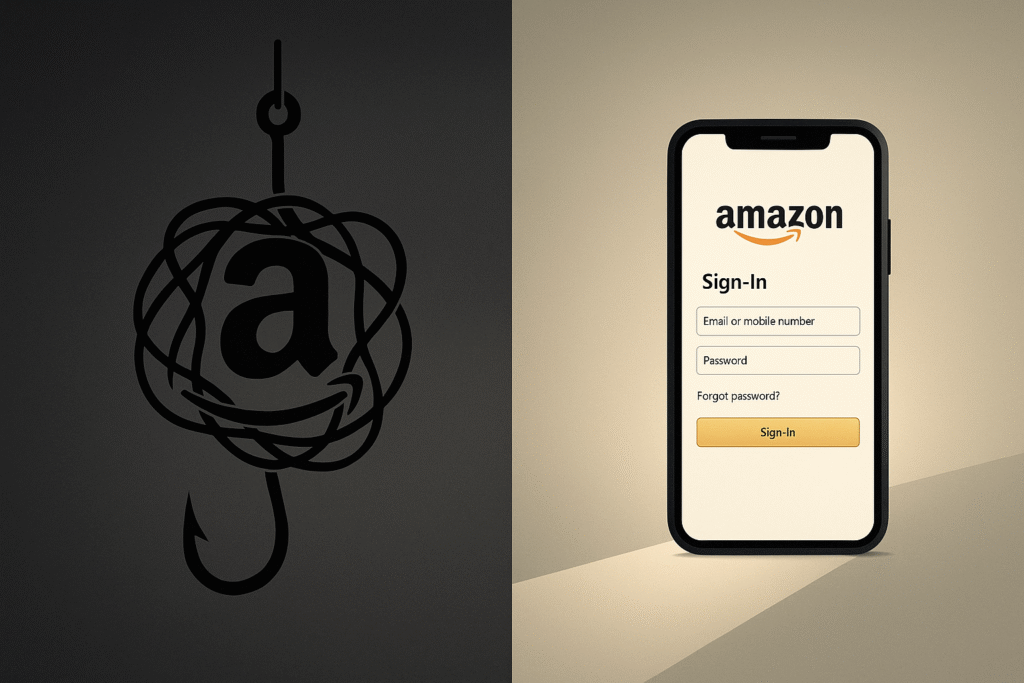
An Amazon email scam is a type of phishing attack where cybercriminals impersonate the world’s largest online retailer to deceive individuals. These fraudulent messages are designed to create a sense of urgency or fear, tricking recipients into revealing sensitive information such as login credentials, credit card numbers, or personal identification details. Common lures include fake notifications about account suspensions, delayed packages, failed payments, or membership renewals. This educational guide provides factual information to help you recognize these impersonation tactics, understand how to verify an email’s authenticity, and learn the correct steps to report and delete these scams. The focus is on awareness and prevention, empowering you to protect your Amazon account and personal data without alarmism.
What Is the Amazon Email Scam and Why It’s Growing
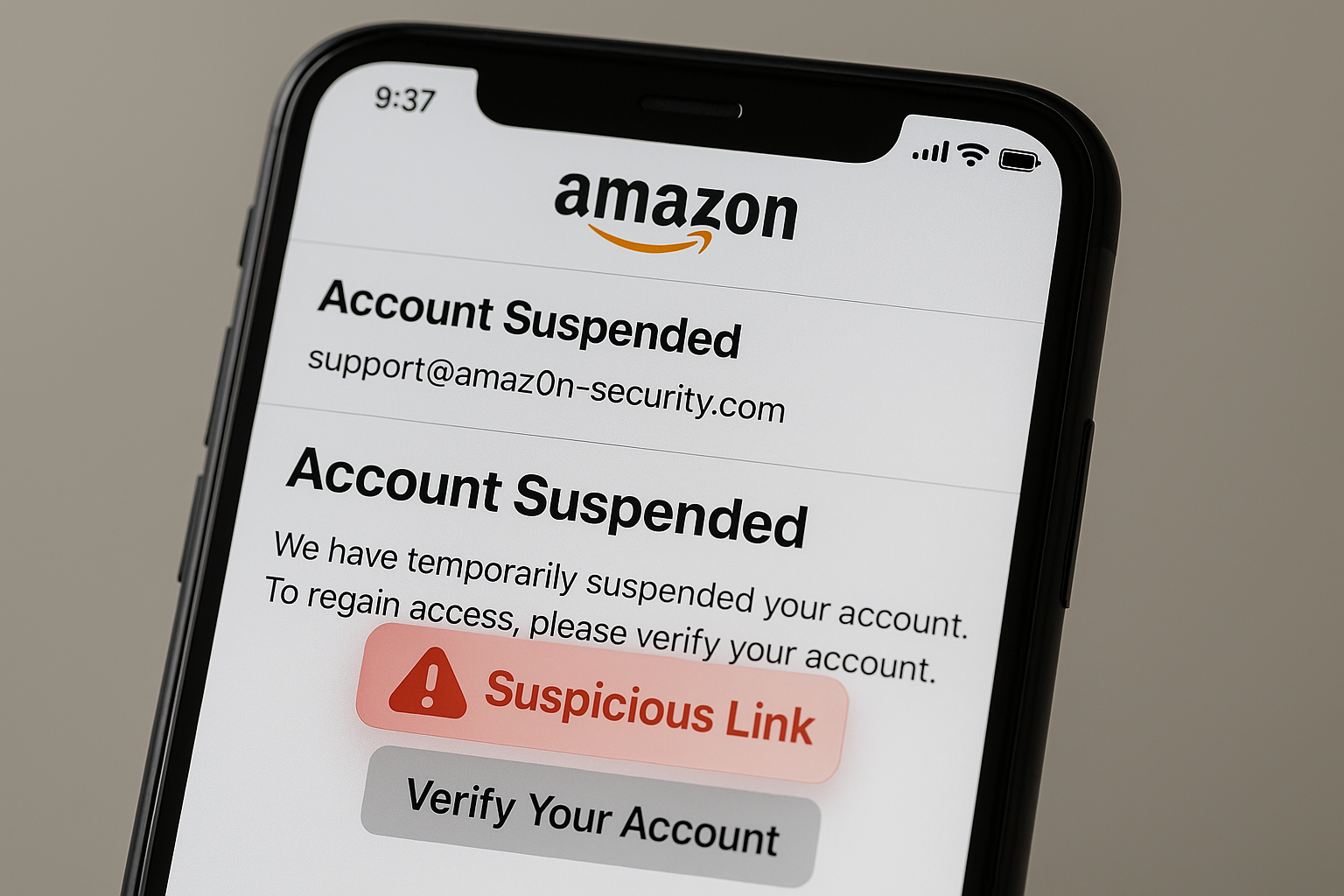
Amazon email scams are a form of brand impersonation, a subset of phishing. The core tactic is social engineering: manipulating human psychology rather than exploiting technical vulnerabilities. Scammers craft emails that mimic Amazon’s official communication style, logos, and formatting to appear legitimate. The goal is either credential theft, where you are directed to a fake login page to steal your Amazon account password, or financial theft, where you are tricked into providing payment information or even making direct payments via gift cards.
The prevalence of these scams is growing for several reasons. First, Amazon’s vast global user base provides a massive pool of potential targets. Second, the high volume of legitimate emails from Amazon—order confirmations, shipping updates, and promotional offers—creates a “noise” that scammers can exploit. A user receiving dozens of real Amazon emails per month may not scrutinize a fraudulent one as carefully. Finally, the sophistication of these attacks has increased, with scammers using email spoofing to make messages appear to come from genuine Amazon domains and employing multi-channel approaches involving SMS and phone calls to enhance credibility.
It is a foundational principle of Amazon’s official policy that the company will never ask for the following sensitive information via email, text, or unsolicited phone calls:
- Your password
- Your payment information (credit card, bank account numbers)
- Personal identification details like your Social Security Number or tax ID
- One-time passcodes (2FA codes)
Any email requesting this information is unequivocally a scam.
Common Types of Fake Amazon Emails
Understanding the common narratives used by scammers is the first step in identification. These themes are recycled and refined constantly.
Account Suspension or Verification Scams
- The Hook: You receive an email with a subject like “Your Amazon Account Has Been Suspended” or “Action Required: Verify Your Account.” It claims that suspicious activity has been detected or that your account information is outdated.
- The Goal: To create panic. The email insists you must click a link and log in immediately to prevent your account from being locked or closed permanently. This link leads to a phishing site designed to harvest your username and password.
Payment Failed or Refund Request Scams
- The Hook: An “Amazon payment failed email scam” alerts you that a recent order could not be processed due to a payment method issue. Alternatively, you might get an “Amazon refund email scam” stating you are eligible for a refund for a recent purchase.
- The Goal: In the payment failed scenario, you are prompted to “update your payment method,” leading to a fake page that steals your credit card details. In the refund scam, you are asked to “confirm your details” or “process the refund,” which involves entering personal and financial information.
Prime Renewal and Subscription Traps
- The Hook: “Amazon Prime membership on hold email” or “Amazon Prime renewal scam” notifications are common. They claim there is a problem with your Prime subscription renewal and that immediate action is required to avoid losing benefits.
- The Goal: To trick you into “confirming” your payment information, which is then stolen. Sometimes, these emails include fake customer service numbers, leading you to a scam call center.
Delivery and Order Confirmation Scams
- The Hook: This “Amazon package delivery scam” involves an email or text about a parcel that cannot be delivered. It may reference a tracking number and ask you to confirm your address or pay a small re-delivery fee. “Amazon order confirmation scam” emails may appear for an item you never ordered.
- The Goal: To harvest address information or trick you into making a small payment, which can be used to validate your card for larger fraudulent transactions. Clicking links may also lead to malware.
Invoice and Attachment Malware Scams
- The Hook: You receive an email with an attached “invoice” or “order details,” often for high-value items like iPhones or laptops. The “Amazon invoice attachment virus” scam relies on curiosity.
- The Goal: The attachment (a .PDF, .ZIP, or .HTML file) is malicious. Opening it can trigger the installation of malware, ransomware, or a keylogger on your device, giving scammers remote access.
Business or Seller Central Impersonation
- The Hook: Targeted at Amazon sellers or businesses using AWS, these “Amazon business account phishing” emails mimic official Amazon Seller Central or AWS notifications. They warn of account limitations, policy violations, or suspicious login attempts.
- The Goal: To steal seller login credentials, which can lead to financial loss, hijacked product listings, or theft of customer data.
Real vs Fake Amazon Email: A Practical Inspection
The devil is in the details. A cursory glance can be deceiving, but a methodical inspection will almost always reveal the scam.
1. Analyze the Sender’s Address and Headers
The most reliable technical indicator is the sender’s email address.
- Legitimate: Amazon uses domains like @amazon.com, @amazon.co.uk, @amazon.de, etc., for regional emails. Transactional emails often come from @amazon.com or @email.amazon.com.
- Fake: Scammers use “Amazon spoofed domain email” addresses that are close but not exact. Look for misspellings (amaz0n.com), added words (amazon-security.com, amazon-support.com), or free domain suffixes (amazon-support@hotmail.com). You can often view the full email address by clicking the sender’s name.
Example of a Fake Header:
- From: “Amazon Security” noreply@amaz0n-secure.net
- Reply-To: support@amazon-help-desk.com
This is a clear red flag. A legitimate email from Amazon will have consistent and authentic “From” and “Reply-To” addresses.
2. Scrutinize the Greeting and Body Content
- Legitimate: Amazon typically addresses you by your full name as it appears on your account (e.g., “Hello, John Doe”).
- Fake: Generic greetings like “Dear Customer,” “Hello Amazon User,” or “Dear Account Holder” are strong indicators of a mass-sent phishing email.
3. Evaluate the Tone and Grammar
- Legitimate: Amazon’s communications are professional and written in clear, grammatically correct language.
- Fake: Phishing emails often contain spelling mistakes, awkward phrasing, and poor grammar. The tone is frequently urgent, threatening, or overly promotional, pressuring you to act quickly without thinking.
How to Check If an Amazon Email Is Legit A Step-by-Step Guide
When in doubt, follow this safe verification protocol. Never use the links or contact information provided in the suspicious email itself.
- Do Not Click Any Links or Buttons. Hover your mouse over any link (without clicking) to see the actual destination URL. You will likely see a mismatched or suspicious web address.
- Do Not Download Attachments. Never open any attachments in an unsolicited email, especially invoices or documents.
- Log In Directly. Open a new browser tab or your Amazon mobile app and navigate directly to amazon.com (or your local Amazon site) by typing the address yourself. Do not search for it. Once logged in, check your “Your Orders,” “Your Messages” (in the Message Center), and “Your Account” sections. All official Amazon communication about your account will be logged there.
- Verify via Official Channels. If you are still concerned, you can contact Amazon Customer Service directly through the “Help” section on their official website or app.
This method bypasses the scam entirely, allowing you to verify the email’s claim through a trusted, independent path.
Phishing Email Subject Lines to Watch For in 2025
Scammers rely on predictable, high-impact subject lines to trigger a response. Here are 15 real-world patterns to be wary of:
- Your Amazon Account Has Been Suspended
- Important: Verify Your Amazon Account
- Payment Failed – Update Your Payment Method Now
- Amazon Prime Membership on Hold
- Refund Processing Request for Your Order
- Action Required: Unusual Login Activity Detected
- Your Order is On Hold – Confirm Your Shipping Address
- Amazon.com – Question About Your Order
- Your Subscription Auto-Renewal Was Declined
- You have an Amazon eGift Card waiting!
- A delivery attempt was unsuccessful.
- Your Invoice from Amazon
- Security Alert: New Sign-In to Your Account
- Update Your Payment Information to Avoid Service Interruption
- Congratulations! You’ve Won an Amazon Survey Reward
Any email with these or similar subjects should be treated with extreme caution and subjected to the verification steps outlined above.
Multi-Channel Amazon Scams Email, SMS, and Calls
Scammers often use multiple channels to create a convincing illusion. An Amazon text message scam might alert you to a problem, followed by a phishing email with a link, and then a follow-up Amazon phone call scam from a “fake support agent” to “help” you resolve the issue, further pressuring you to provide information.
- SMS/Text Messages: These often contain shortened links that are difficult to verify. The same rules apply: do not click. Log in to your Amazon account directly to check for issues.
- WhatsApp Scams: Similar to SMS, scammers are increasingly using WhatsApp to send fake order alerts and delivery problems.
- Phone Calls: A caller claiming to be from “Amazon Security” or “Amazon Prime” informs you of fraudulent activity on your account and asks you to verify your identity or provide a remote access code. Amazon will never call you unsolicited to ask for personal information or payment.
This multi-channel approach, known as a blended attack, is designed to overwhelm your skepticism and create a false sense of legitimacy through repeated contact.
How to Report an Amazon Phishing Email
Reporting scams is a civic duty that helps protect the wider community. Here is how to do it safely:
- Report to Amazon: Forward the entire suspicious email to Amazon’s dedicated address for spoofing: stop-spoofing@amazon.com. Do not alter the subject line. You can also use the “Report Something Suspicious” feature within the Amazon Message Center if you find the message there.
- Report to Your Email Provider: Most email clients (Gmail, Outlook, etc.) have a “Report Phishing” or “Report Spam” button. This helps improve their filters.
- Report SMS Messages: In the UK, you can forward suspicious texts to 7726 (which spells SPAM). In the US, you can forward the message to your carrier’s spam reporting number (e.g., 7726 for AT&T, T-Mobile, and Verizon). Check with your specific carrier for details.
- Report to Authorities: File a report with your national consumer protection or cybercrime agency.
- USA: Federal Trade Commission (FTC) at reportfraud.ftc.gov
- UK: National Cyber Security Centre (NCSC) via report@phishing.gov.uk
- India: Indian Computer Emergency Response Team (CERT-IN)
- Australia: Australian Cyber Security Centre (ACSC) via ReportCyber
Security Best Practices for Your Amazon Account
Proactive security measures make your account a much harder target for scammers.
- Enable Two-Factor Authentication (2FA): This is the single most important security step. Even if a scammer steals your password, they cannot log in without the unique code from your authenticator app or SMS. You can enable this in your Amazon account under “Login & Security.”
- Use Strong, Unique Passwords: Create a password for Amazon that you do not use for any other site. Consider using a reputable password manager to generate and store complex passwords.
- Review Login Activity and Devices: Regularly check the “Your Devices” section in your Amazon account. You can see all devices currently logged in and remotely log out any you don’t recognize.
- Be Skeptical of Third-Party Links: As a rule, never log into any sensitive account (Amazon, bank, email) by clicking a link in an email. Always navigate to the site directly.
How to Recover If You Clicked or Shared Information
If you suspect you have fallen for a phishing news scam, act quickly and methodically.
- Change Your Amazon Password Immediately: Log in directly to Amazon (do not use the phishing link) and change your password to a new, strong one.
- Enable 2FA Immediately: If you haven’t already, turn on Two-Factor Authentication right away.
- Check for Unauthorized Activity: Review your order history, payment methods, and “Your Messages” in your Amazon account for any actions you didn’t take.
- Contact Your Bank: If you entered credit card or bank information, contact your financial institution immediately. Explain the situation, monitor your statements for fraudulent charges, and request a new card if necessary.
- Scan for Malware: If you downloaded and opened an attachment, run a full system scan with a reputable antivirus or anti-malware program.
- Report the Incident: Follow the reporting steps outlined earlier to inform Amazon and the relevant authorities.
Amazon Seller & Business Account Phishing
Sellers are high-value targets. Scammers know that a compromised seller account can lead to significant financial loss.
- Be Wary of “Invoice” Scams: Fake invoices for “seller fees” or “subscription renewals” are common. Always verify any payment request by logging directly into your Seller Central account.
- “Suspicious Login” Alerts: Scammers send fake security alerts to trigger a panic login. Again, navigate to Seller Central directly, not through an email link.
- Policy Violation Warnings: Emails claiming your selling privileges are at risk due to a policy violation are designed to make you act hastily. Official notifications will always appear in your Seller Central dashboard’s Performance Notifications.
The golden rule for sellers is identical to that for consumers: All account-related issues must be verified and managed exclusively within the official Seller Central or AWS console.
Staying Safe in 2025 Amazon Security and Awareness
The phishing landscape continues to evolve. For 2025, we observe trends like QR code phishing (quishing), where emails contain a QR code you are prompted to scan with your phone, bypassing traditional link hover-checking on a desktop. Deepfake voice calls impersonating Amazon support may also become more prevalent.
Your best defense remains a combination of skepticism and verification. Cultivate a habit of pausing before reacting to any urgent digital request. Trust the official channels—the Amazon app and website—as your single source of truth for account information.
Closing Section
Navigating the digital marketplace requires a blend of convenience and caution. Amazon email scams are a persistent threat, but they are not undefeatable. By understanding the common tactics scammers use, learning the critical differences between real and fake communications, and adopting robust security habits like two-factor authentication, you can significantly reduce your risk. Awareness, coupled with verification, forms the strongest protection against phishing. Remember that legitimate companies like Amazon have built their security protocols to protect you; they will never breach that trust by asking for your password, payment details, or sensitive personal information via an unverified email or call.
Publisher and Educational Disclaimer
MEXQuick publishes this educational resource for informational purposes only. The content is based on independent research and analysis of publicly available information from authoritative sources, including Amazon’s official security pages, global consumer protection agencies like the FTC and NCSC, and established cybersecurity principles. MEXQuick is an independent publisher and is not affiliated, associated, or in any way officially connected with Amazon.com, Inc. or any of its subsidiaries or affiliates. All product and company names are trademarks™ or registered® trademarks of their respective holders. The guidance provided is general and intended for consumer awareness; it does not constitute legal or financial advice. Readers are always advised to use the official channels of the relevant companies and authorities for specific issues.