What Is an Apple ID Email Scam?
An Apple ID email scam is a type of phishing attack where criminals send fraudulent emails designed to look like they are from Apple. The goal is to trick you into revealing your Apple ID password, credit card information, or other personal data. You might receive what looks like an phishing email asking you to “verify” your account, often with a subject line like “Urgent Action Required.” A common version is the verify Apple ID email, which creates a false sense of urgency. People often ask, “is there an Apple ID email scam?”, the answer is yes, and it’s one of the most widespread online threats. These emails often reference a fake email scam purchase to frighten you into taking immediate action.
These messages are simply a fake email, creating fake account alerts to manipulate you.
Common Types of Apple ID Email Scams
Scammers use a variety of stories to create convincing fakes. Here are the most common types:
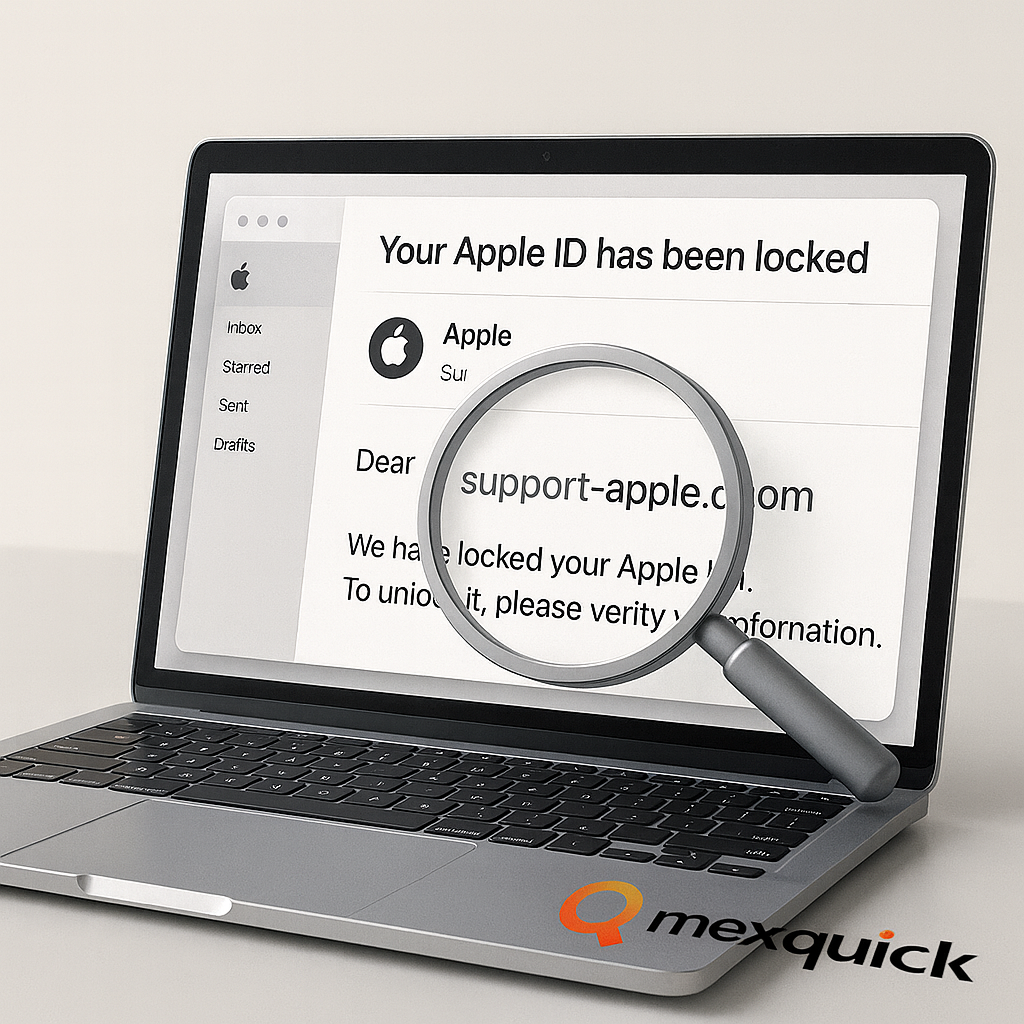
Account Locked Scam
You get an email with the subject “your Apple ID has been locked email.” It claims your account is temporarily locked due to suspicious activity. This locked alerts email urges you to click a link to “unlock” it.
Password Reset Scam
This password reset email scam claims someone has requested a password change. If you didn’t request it, the email urges you to “cancel” the request by clicking a link.
Payment Issue Scam
A payment declined email scam states there was a problem with your last payment method and asks you to update your billing information.
Fake Receipt Scam
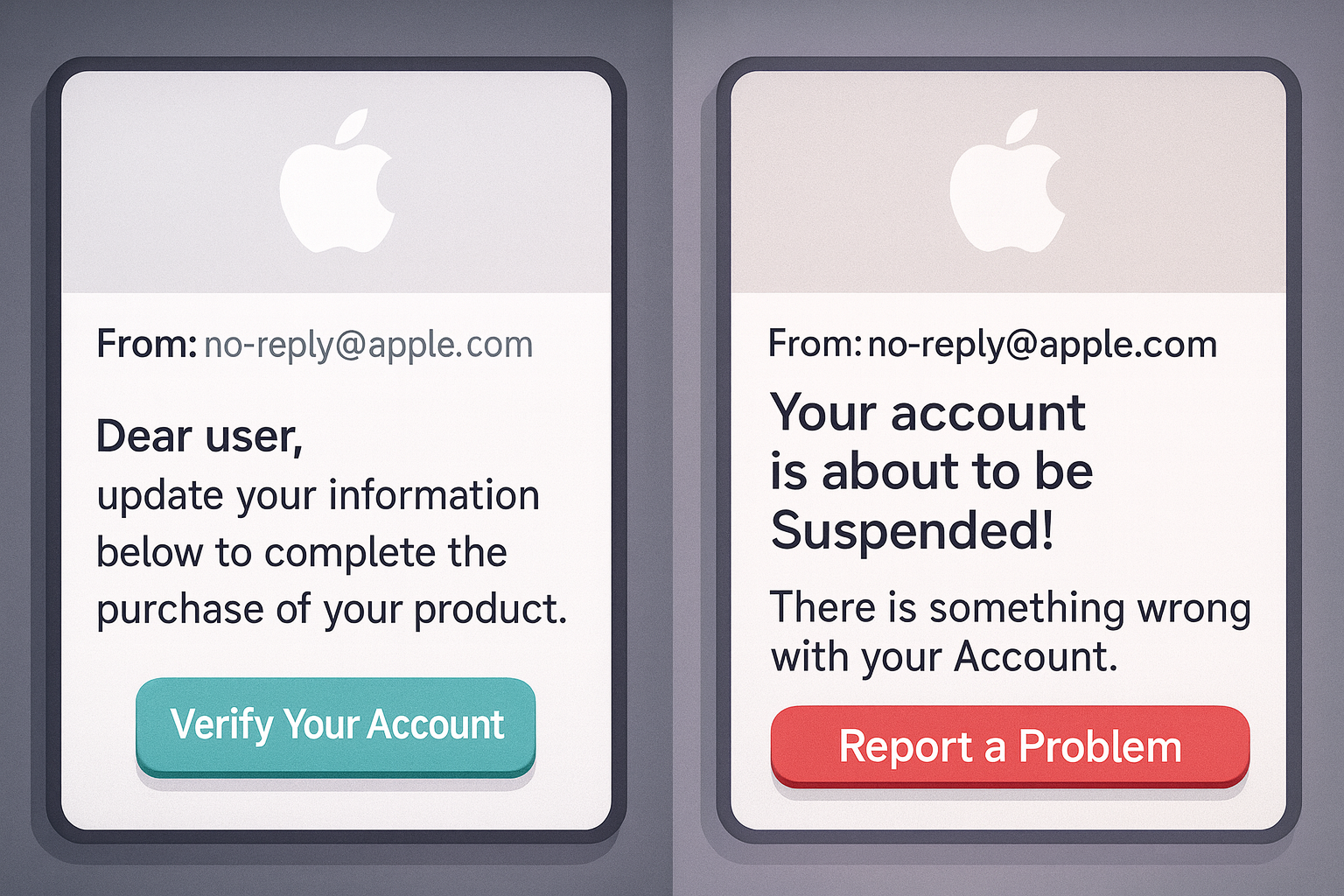
You receive an apple receipt invoice email scam for an app or subscription you don’t recognize. The fake apple purchase receipt is designed to make you panic and click “Report a Problem.”
Subscription Renewal Scam
The app store subscription renewal scam email warns you about a high-value subscription you need to cancel or manage.
Refund Scam
An unexpected refund email scam claims you are owed money, requiring you to confirm your bank details to receive it.
2FA Code Scam
In the Apple ID two-factor code email scam, you may receive a fake code or be prompted to share a real one you just received.
Recovery Key Scam
A fake recovery email asks you to verify or provide your account recovery key, which would give the scammer full control.
Geographic Variations
These scams are global, targeting users in the UK, USA, Canada, Australia, India, and other regions with localized language and currency.
Phone Call Follow-up
In some cases, the scammers may follow, where a fake “Apple Support” agent calls you to “resolve” the issue from the email.
Be wary of emails about a password reset requested apple you didn’t initiate. Always question a suspicious activity email by checking it against the guidelines below.
Examples of Fake Apple ID Emails
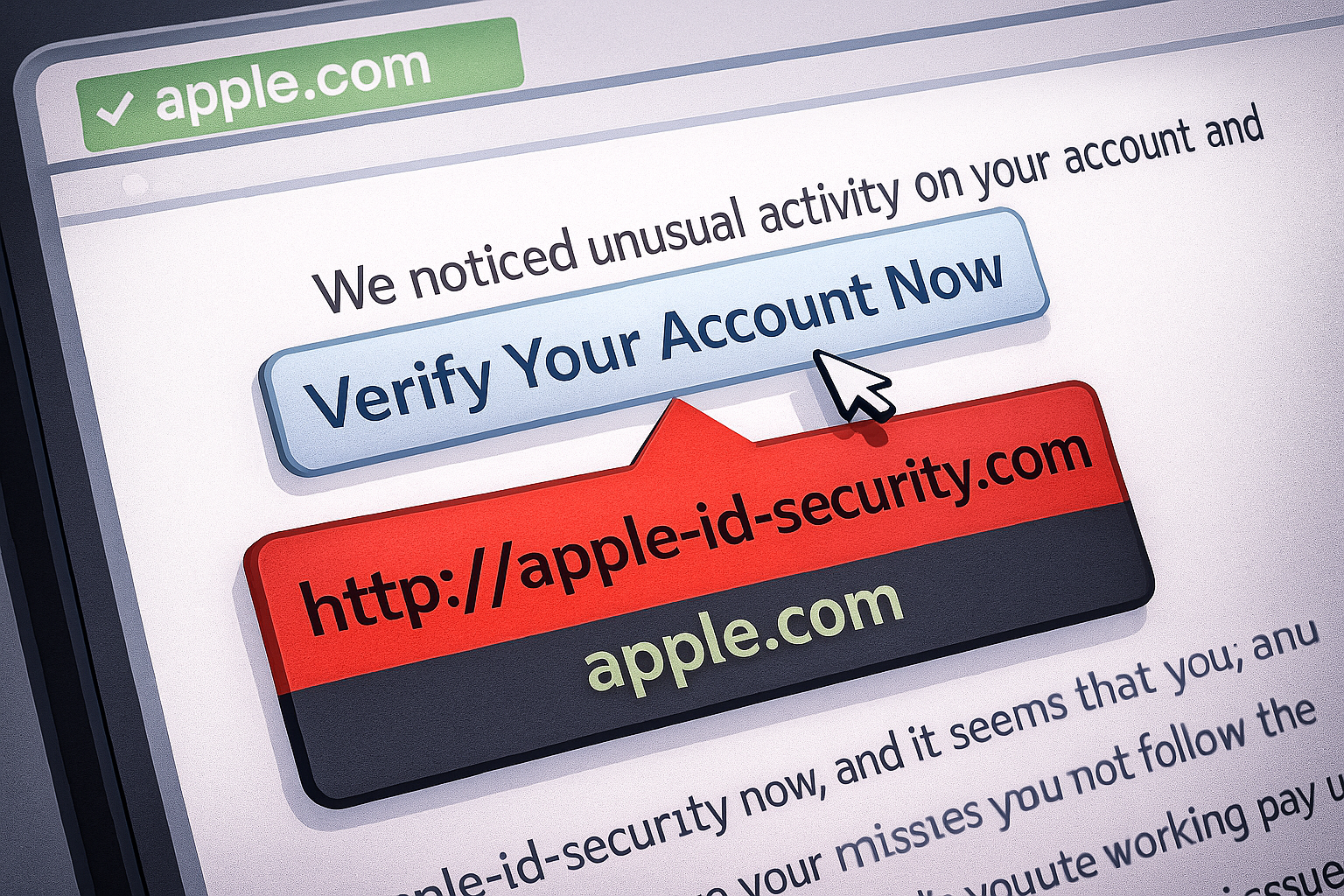
Seeing an example of fake Apple ID email helps you recognize the signs. While the examples may vary, they share common traits.
Fake Subject Lines
Apple id phishing email subject lines are crafted for urgency. Examples include:
-
“Urgent: Your Apple ID was used to sign in on a new device.”
-
“Action Required: Your Apple ID has been locked for security reasons.”
-
“Important Billing Information About Your Apple ID.”
-
“You have a pending refund for your recent purchase.”
Fake HTML Layout
Scammers create convincing copies of Apple’s email design. However, they often contain slight formatting errors, low-quality images, or links that do not lead to an official Apple website.
Fake Invoice / Receipt Example
A fake apple purchase receipt will often have an incorrect order number, an app you’ve never heard of, and a “Report a Problem” button that leads to a phishing site. Some may include an attached virus, which is a PDF invoice containing malware.
Fake Apple Email vs Legit Apple Email
An Fake vs legit comparison reveals clear differences. Here is how to check if apple email is genuine.
Real Apple Domains
Legitimate Apple emails come from domains like @apple.com, @e.apple.com, or @id.apple.com. While a sender can spoof an address, checking the domain is the first step. Many wonder, “Is an email from no-reply@apple.com legit or not?”—the answer is that it can be legitimate, but scammers also spoof this address. The domain is more important than the “friendly” name.
Language Style Comparison
-
Legit Apple Emails: Are clear, calm, and never use threatening language. They will address you by your full name (the one on your account) or not at all. They will never ask for your password, security code, or recovery key via email.
-
Scam Emails: Often have spelling or grammar mistakes. They use high-pressure language like “Immediate Action Required” or “Your account will be closed.” An Apple billing problem scam email from a scammer will sound more alarming than one from Apple.
Invoice Format – Real vs Fake
A real Apple invoice will always correspond to a purchase you can find in your Purchase History in the App Store or iTunes. A fake one will not.
How Do Scammers Steal Apple ID Credentials?
Understanding their methods helps you defend against them.
Phishing Links
The most common method. You click a link in a fake email that takes you to a counterfeit Apple login page. Using an Apple ID phishing link checker (like a URL scanner) can help, but the best check is to look for the official .apple.com domain.
2FA and Code Interception
In this scenario, a scammer who has your password will trigger a 2FA login. They may then call or SMS you, pretending to be Apple Support, to trick you into giving them the code. This is the classic Apple ID code scam.
Advanced Attacks
Some use oauth token theft by tricking you into signing into a malicious app with “Sign in with Apple.” Qr code phishing apple schemes can also be used to redirect you to fake login pages.
Phishing Kits
Scammers use pre-made software packages (“kits”) that easily generate convincing fake Apple login pages.
Session Hijacking
If a scammer steals your session cookie, they can potentially access your account without a password.
Social Engineering
This is the human element. Scammers use pressure, fear, and fabricated urgency to bypass your logical judgment.
The apple id sms and email scam differences are minimal; the delivery method changes, but the goal—stealing your credentials—remains the same.
How to Verify If an Apple Email Is Genuine
Do not trust the email on its face. Follow these steps to how to check if apple email is real.
-
Go Directly to the Source: Never click links in the email. Instead, open your web browser and go directly to
appleid.apple.comor check the Settings app on your iPhone ([Apple] > Password & Security) to see if there are any real alerts. -
Check Your Sign-in Activity: Go to Settings > [Your Name] and look at the devices signed in. If you see something unfamiliar, you can remove it. Also, check Settings > [Your Name] > Media & Purchases > View Account to see your purchase history.
-
Understand Email Security (DKIM/SPF/DMARC): Apple uses strong email authentication protocols (DKIM SPF DMARC) to prevent email domain spoofing. You can view email headers to check these, but this is a more advanced step.
-
Inspect Links: Before clicking, hover your cursor over any link to see the real destination. A legitimate link will always be a subdomain of
**.apple.com**(e.g.,iforgot.apple.com). Anything else is fake.
The phrase “verify your Apple ID” is a trap. The only place you should ever verify your account is by going to the official website or your device settings yourself.
Email Header Analysis Guide
For a technical verification, you can perform an email header analysis. This involves looking at the raw data of the email.
-
Misaligned Headers: Look for inconsistencies between the “From:” address and the
Return-Path. A return-path mismatch is a major red flag for domain spoofing on Apple email. -
Why Scammers Use apple.support: Scammers often use domains like
apple.supportorapple-security.orgbecause they look legitimate at a glance. This is different from spoofing and is a common trick. Be aware of unicode homograph domain attacks, where characters from different alphabets look identical to English letters (e.g., the Cyrillic ‘а’ instead of the Latin ‘a’).
Device Sign-In and 2FA Alerts
A real unusual sign-in alert scam is not a scam; it’s a genuine security feature. The scam occurs when you receive a fake alert.
-
Real vs Fake Apple 2FA Notifications: A real two-factor authentication code will be sent via SMS or a push notification to your trusted devices. You will only be asked for this code when you are actively signing in on a new device or browser. A fake Apple ID two-factor code email scam is an email that contains a code, which is not how Apple delivers 2FA codes. If you’re asking, “why did i receive apple code i didnt request?” it likely means someone else has your password and is trying to log in. Do not give the code to anyone. Instead, immediately go to
appleid.apple.comand change your password. -
Trusted Device Behavior: Legitimate Apple sign-in alerts will appear as push notifications on your trusted Apple devices, not just in your email. You can approve or deny the login directly from that device.
Apple ID Scams via SMS, WhatsApp, Telegram
Scammers don’t only use email. The scam involving text message is also very common. This is known as a Apple ID smishing attack (SMS phishing). The message will contain a link to a fake Apple login page, similar to the email version. A code text might involve a message claiming you’ve been signed out and need to verify your account.
Apple Support Scam Phone Calls
You may receive an unsolicited apple support scam phone call from someone claiming to be from the “Apple security department.” They will say your account has been compromised. They often use information from data breaches to sound credible and may ask for your Apple ID recovery key as part of their attempted scams. Remember: Apple will never call you unexpectedly to ask for this information.
How to Report Apple ID Email Scams
It is important to report these scams to help protect others. Here is how to report apple phishing email.
-
Forward the entire scam email to
reportphishing@apple.com. -
You can also report Apple ID phishing email address by forwarding it to the Anti-Phishing Working Group at
report@apwg.org. -
If you are in the US, you can file a report with the FTC at
ReportFraud.ftc.gov.
How to Block Apple ID Phishing Emails on iPhone
You can reduce clutter and risk by learning how to block Apple ID phishing emails on iphone.
-
In the Mail app, you can filter unknown senders apple mail by going to Settings > Mail > Filter Emails from Unknown Senders. This sends emails from people not in your contacts to a separate folder.
-
To block fake Apple email in IOS, simply swipe left on the message in your inbox and tap “Block.”
What To Do If You Clicked a Fake Apple Link
If you are wondering what to do if you click fake apple email, act quickly. Planning what to do action plan is straightforward.
-
Change Your Apple ID Password Immediately: Go directly to
appleid.apple.comand change your password. This will log out all devices and browsers, revoking access from the scammer. -
Check Account Information: On
appleid.apple.com, check your trusted phone numbers, devices, and personal information to ensure nothing was changed. -
Contact Your Bank: If you entered credit card information, contact your bank or card issuer to report potential fraud.
-
Run a Security Scan: Ensure your devices are free of malware.
The key is to reset Apple ID after phishing happened as soon as possible.
Strengthening Your Apple ID Security in 2025
Follow these Apple ID security tips 2025 to prevent Apple ID phishing.
-
Use a strong, unique password for your Apple ID.
-
Enable two-factor authentication (this is the most important step).
-
Regularly review your trusted devices and phone numbers in your Apple ID account.
-
Keep your software (iOS, iPadOS, macOS) updated.
-
Be skeptical of unsolicited messages and calls.
These apple id safety tips create multiple layers of defense.
Apple ID Email Scam Case Studies
Hearing from Apple ID scam victims provides a powerful lesson. One common Apple ID phishing story involves a person receiving a fake invoice, calling the “support” number on the email, and then being social engineered into providing their 2FA code, leading to their account being taken over and used for fraudulent purchases. These stories highlight the importance of verifying information through official channels.
Apple ID email scams are a persistent threat, but they are avoidable. By understanding the scammers’ tactics and adopting a calm, verification-first mindset, you can protect your account and personal information. The most reliable rule is this: never react to a message by clicking its links or calling provided numbers. Always initiate contact yourself by going directly to the official Apple website or your device’s settings. Your security is strengthened by vigilance and a commitment to using only official Apple channels for account management.
Frequently Asked Questions
Is there an Apple ID email scam, and how widespread is it?
Yes, the kind of scam exist and is a common type of phishing attack.
Why do I keep receiving fake Apple ID account locked and security alert emails?
There are a few reasons you might be receiving a high volume of these fake Apple ID account alerts:
-
Email List Targeting: Your email address was likely part of a list sold on the dark web or gathered from a previous data breach. Scammers send blasts to these lists, knowing a percentage of users will have Apple ID‘s.
-
Phishing Campaigns: You are caught in an active, large-scale phishing campaign where scammers are targeting a wide range of users indiscriminately.
-
Increased Scammer Activity: The frequency of these scams naturally increases around new product launches or holidays, when people expect more legitimate Apple communication.
Receiving these emails does not mean your account is compromised. It only means scammers have your email address. The best action is to mark them as spam or phishing in your email client and delete them. Do not engage.
Is no-reply@apple.com legit?
Yes, Apple does send legitimate emails from this address. However, scammers can spoof it. Always verify the content of the email by logging into your account directly rather than clicking any links.
What are the signs of a fake apple invoice?
The main fake apple invoice signs are: an app you didn’t purchase, an order number that doesn’t match your history, and a “Report a Problem” link that does not go to reportaproblem.apple.com.
Why am i receiving Apple ID codes?
If you are receiving Apple ID codes you didn’t request, it means someone has your password and is trying to log in. Do not share the code. Immediately change your Apple ID password on appleid.apple.com.
How can I tell if an apple sign in alert is real or fake?
User can distinguish apple sign in alert real or fake by its delivery. A real alert is a push notification on your trusted Apple devices (iPhone, iPad, Mac). A fake one is usually an email or SMS. Always approve or deny sign-in attempts only through the pop-up on your own device.
Does apple call users?
No. Apple will not proactively call you to warn you about security issues, ask for passwords, or request verification codes. Any such call is a scam.