Rise in Netflix Scam Emails A Guide to Protecting Your Account in 2025
In an era where streaming is a staple of daily life, cybercriminals are increasingly exploiting trusted brands to target unsuspecting users. A persistent and evolving threat in 2025 is the Netflix scam email—a sophisticated form of phishing designed to steal login credentials, payment information, and personal data. These fraudulent messages, which impersonate Netflix’s official communications, often create a false sense of urgency, claiming issues with your account, payment, or membership. This educational guide will demystify how these scams operate, provide clear, actionable steps to identify them, and outline the safe, correct procedures for reporting them. By understanding the mechanics of these attacks and reinforcing your digital hygiene, you can confidently protect your account and personal information from brand impersonation attacks.
What Is a Netflix Scam Email and How Does It Work?
A Netflix scam email is a type of phishing attack, a fraudulent message crafted to look like an official communication from Netflix. The primary goal is credential harvesting—tricking you into entering your Netflix username and password on a fake website controlled by the scammer. With these details, attackers can hijack your account, lock you out, and potentially access saved payment methods. In more advanced schemes, the goal may be to install malicious attachments containing viruses or ransomware.
The process follows a classic social engineering playbook:
-
The Hook: You receive an email that appears to be from Netflix, alerting you to a problem.
-
The Urgency: The message creates panic, stating your account will be suspended or has a payment failure that needs immediate attention.
-
The Deception: You are prompted to click a link to “verify,” “update,” or “confirm” your account details.
-
The Payoff: The link leads to a convincing but fake Netflix login page. Any information you enter is sent directly to the scammer.
Understanding this workflow is the first step in breaking the scammer’s chain of attack.
Common Subject Lines and Psychological Tricks Used by Scammers
Scammers rely on specific, high-pressure subject lines to prompt a quick, unthinking reaction. Being familiar with these can help you instantly flag an email as suspicious.
Common subject lines associated with Netflix phishing email examples often include:
-
“Urgent Action Required: Your Membership is On Hold”
-
“Payment Failed – Update Your Billing Information”
-
“Suspicious Activity Detected on Your Netflix Account”
-
“Your Account Will Be Suspended”
-
“We are processing your refund” (Netflix refund email scam)
-
“Confirm Your Identity to Continue Streaming”
The psychological tricks are consistent across these variants. They exploit fear (losing access to a service you pay for), curiosity (unexpected activity on your account), or greed (an unexpected refund). The ultimate aim is to bypass your logical thinking and provoke an impulsive click.
Fake Netflix Email Examples: Educational Descriptions
To build awareness without showcasing live malicious content, here are descriptive breakdowns of common scams. Remember, these are descriptions for educational purposes, not actual examples to look for.
-
The “Account Suspension” Email: This common Netflix account suspended email scam features the Netflix logo and a message stating your account will be suspended within 24 hours due to a billing problem. A prominent button labeled “Update Your Payment Method Now” is the central call to action. The email may threaten loss of your profile and viewing history to increase pressure.
-
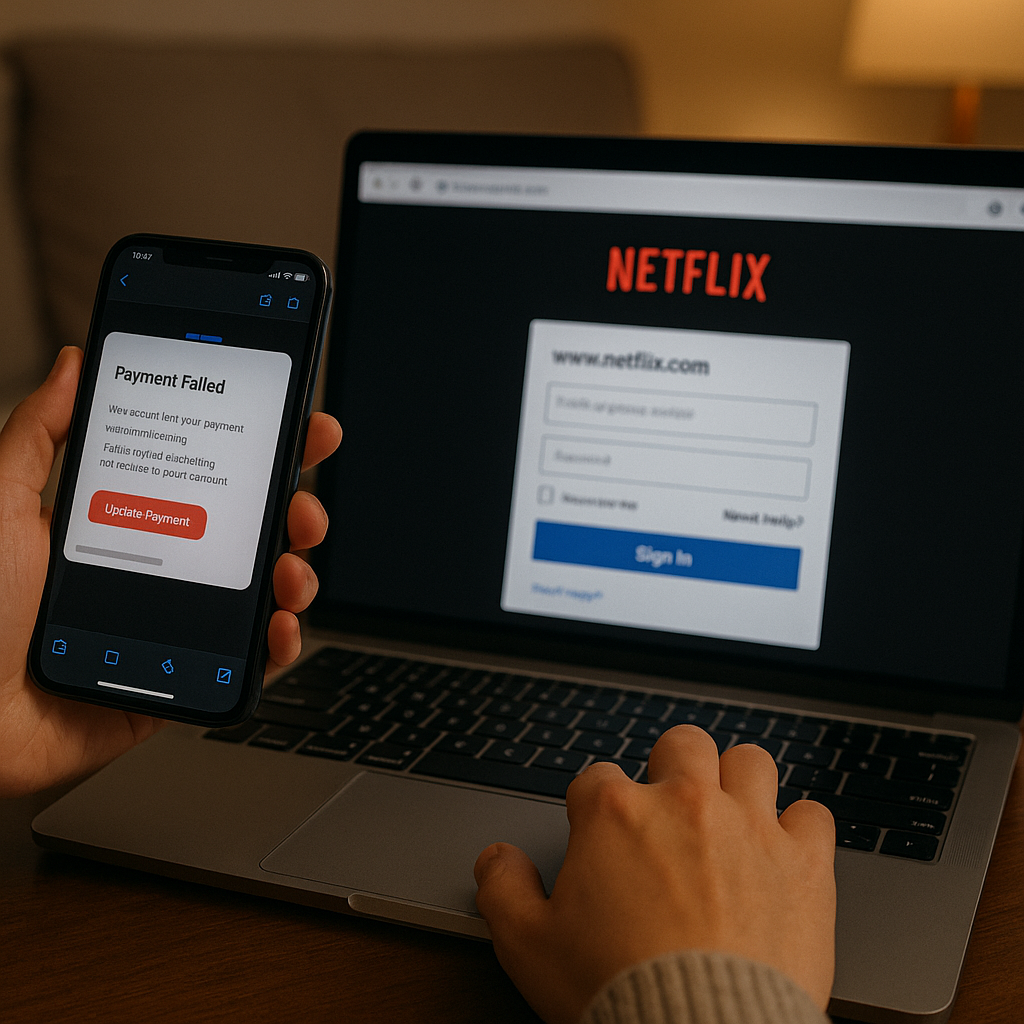
The “Payment Failure” Notification: Mimicking a system alert, this Netflix payment failed email scam claims a recent charge to your credit card was declined. It instructs you to click a link to “Review Your Billing Information” to avoid service interruption. The email often includes fake transaction IDs and dates to appear legitimate.
-
The “Suspicious Activity” Alert: This version preys on security concerns. The email warns of a login from an unrecognized device or location and urges you to “Secure Your Account Now.” This is a clever ruse to get you to enter your credentials on a fake page, ironically handing them directly to the attacker.
-
The “Invoice” Scam: This email includes an attachment, often named “Netflix_Invoice.pdf” or similar. The body of the email encourages you to open the attachment to review your billing details. This Netflix invoice attachment virus tactic is designed to deliver malware to your device when the file is opened. news
How to Identify a Netflix Phishing Email: Sender, Domain, and Language Red Flags
You don’t need to be a cybersecurity expert to spot a fake. By checking a few key areas, you can reliably determine an email’s legitimacy.
1. Scrutinize the Sender’s Email Address (The #1 Red Flag)
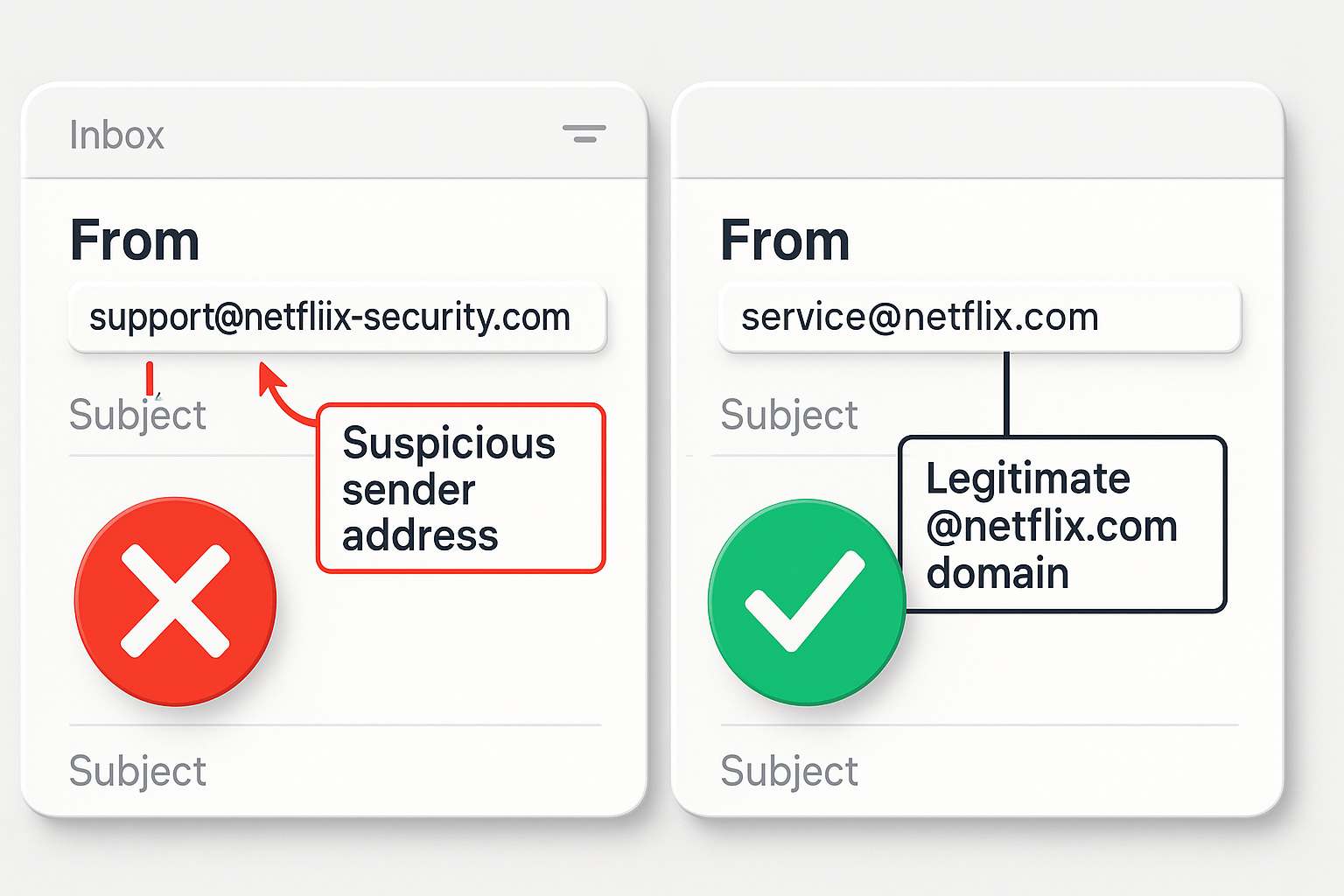
This is the most critical step. Scammers use spoofed domains that look similar to “netflix.com” but are subtly different.
-
Legitimate: All official Netflix emails will come from an address ending in
@netflix.com. -
Suspicious: Look for misspellings or different domains, such as
@netflix-support.com,@account-netflix.com,@netflix.secure.com, or@netfliix.com. Hover your cursor over the sender’s name to reveal the actual email address.
2. Analyze the Greeting and Tone
Netflix personalizes its communications.
-
Legitimate: Official emails will typically greet you by the name on your account (e.g., “Hello, [Your First Name]”).
-
Suspicious: A generic greeting like “Dear Valued Customer,” “Dear User,” or “Hello, account holder” is a major red flag. The tone is often overly formal, threatening, or packed with urgency.
3. Check for Poor Grammar and Spelling
Official corporate communications undergo rigorous editing. Phishing emails, often translated or written by non-native speakers, frequently contain spelling errors, awkward phrasing, and incorrect grammar.
4. Hover Over Links Before You Click
Before clicking any link in a suspicious email, hover your cursor over it. A small tooltip will appear showing the true destination URL.
-
Legitimate: A link to manage your payment details should go to a Netflix.com subdomain.
-
Suspicious: If the hover-revealed link points to a completely unrelated website, an IP address (a string of numbers), or a URL shortener service (like bit.ly), it is a phishing attempt. Do not click.
5. Assess the Demand for Action
Netflix will never ask for sensitive information via email.
-
Legitimate: Netflix may email you about new features or a receipt for your payment, but they will not demand immediate action to prevent account suspension.
-
Suspicious: Any email demanding you click a link to “confirm your password,” “verify your payment details,” or “download an invoice” is a scam.
Technical Clues: SPF, DKIM, and Email Header Verification
For the more technically inclined, email services use authentication protocols to verify a sender’s identity. Understanding these can provide a definitive answer.
-
SPF (Sender Policy Framework): This is a record that lists which servers are authorized to send email for a domain (like netflix.com). If an email comes from a server not on this list, it may be marked as spam or fail SPF.
-
DKIM (DomainKeys Identified Mail): This adds a digital signature to an email, proving it was sent by the legitimate domain and hasn’t been tampered with in transit.
Most major email providers (like Gmail, Outlook, Yahoo) automatically check these records. If a Netflix spoofed domain email fails these checks, your email provider may send it directly to your spam folder or display a warning, such as “This message may not have been sent from netflix.com.”
You can manually view Netflix scam email headers in your email client. While the “From” address may look correct, the “Return-Path” and other technical headers will often reveal the originating server’s true, fraudulent identity. For most users, trusting your email provider’s automated filtering is sufficient.
Common Global Variants: Account Suspension, Payment Failure, and Refund Scams
While the core tactics are universal, scammers sometimes tailor messages to specific regions. Awareness of these Netflix scam email UK, USA, Australia, Canada, and India variants is key.
-
Regional Payment Methods: Scams in the UK may reference GBP, while those in India might mention INR or local payment gateways. The structure, however, remains identical.
-
Refund Scams: A prevalent Netflix refund email scam in 2025 claims Netflix is processing a refund due to a “billing error” or “overcharge.” It asks you to click a link and enter your bank details to “receive the funds,” which is simply a ploy to harvest your financial information.
-
Password Reset Scams: You may receive an unsolicited Netflix password reset email scam. If you did not request a password reset, this is a trick to get you to click the “Cancel Request” link, which often leads to a fake login page.
What to Do If You Receive a Netflix Phishing Email
Your response should be calm and methodical. Follow this incident response checklist:
-
Do Not Click Any Links or Buttons. This is the most important rule. Do not interact with the content of the email.
-
Do Not Open Any Attachments. If the email has an attachment, do not open it. It could contain malware.
-
Do Not Reply. Replying confirms to the scammer that your email address is active, which could lead to more spam and phishing attempts.
-
Verify Directly. If you are unsure whether the email is legitimate, log in to your Netflix account directly by typing
www.netflix.cominto your browser’s address bar—never use the link in the email. Check your account and billing status from within your account settings. -
Delete the Email. Once you have identified it as a scam, delete it from your inbox.
How to Report Netflix Scam Emails: A Step-by-Step Guide
Reporting phishing emails is a civic duty that helps protect the wider community. It improves machine learning spam filters and helps authorities take down malicious sites.
Step 1: Report to Netflix
Netflix has a dedicated channel for this purpose.
-
Forward the entire suspicious email to phishing@netflix.com.
-
Netflix’s security team will analyze it. You will not receive a personal response, but your report contributes to their security efforts.
Step 2: Report to Your Email Provider
This helps your provider’s filters learn and block similar emails for all users.
-
Gmail: Select the email and click “Report phishing” (the stopwatch icon with an exclamation mark).
-
Outlook.com: Select the message, choose “Junk” from the top menu, and then select “Phishing.”
-
Apple Mail: Select the message and choose “Report Phishing” from the message menu.
Step 3: Report to Authorities (Country-Specific)
-
USA: Report to the Federal Trade Commission (FTC) at reportfraud.ftc.gov.
-
UK: Forward the email to the National Cyber Security Centre (NCSC) at report@phishing.gov.uk.
-
Australia: Report to the Australian Cyber Security Centre (ACSC) via Scamwatch.
-
Canada: Report to the Canadian Anti-Fraud Centre (CAFC).
-
India: Report to the Indian Cyber Crime Coordination Centre (I4C) at cybercrime.gov.in.
How Netflix Officially Communicates With Users
Understanding Netflix’s legitimate practices is your best defense. Netflix is clear about its communication policy:
-
Netflix will never ask for your password, payment information, or other personal details via email.
-
Netflix will never ask you to click a link in an email to update your payment method. All billing updates must be done within your account on the official Netflix website or app.
-
Official emails from Netflix will direct you to visit
Netflix.comdirectly and log in to your account to address any issues. -
You can always view your official account communication history by logging into Netflix, going to Account > Settings, and selecting “Recent emails from Netflix.”
Proactive Security Tips: Password Managers, 2FA, and Ongoing Awareness
Beyond identifying individual scams, adopting robust cybersecurity best practices will significantly reduce your risk.
-
Use a Unique, Strong Password for Netflix: Never reuse passwords across different sites. If one site is breached, scammers will try those credentials everywhere else. A strong password is long and complex.
-
Enable a Password Manager: A password manager can generate and store strong, unique passwords for all your accounts. This eliminates the risk of password reuse and makes you immune to many phishing attacks, as it won’t auto-fill credentials on a fake site.
-
Activate Two-Factor Authentication (2FA): If Netflix offers 2FA (also known as 2-step verification), enable it. This adds a second layer of protection, requiring a code from your phone in addition to your password. Even if a scammer gets your password, they cannot log in without this code.
-
Keep Your Software Updated: Ensure your device’s operating system, web browser, and antivirus software are always up-to-date. These updates often include critical security patches.
-
Engage in Ongoing Awareness Training: Treat user education as an ongoing process. Periodically refresh your knowledge of common online scams.
Conclusion: Awareness, Verification, and Confidence
The threat of Netflix scam emails is real, but it is not undefeatable. By recognizing the common tactics—urgent subject lines, spoofed sender addresses, and requests for sensitive information—you can effectively neutralize these threats. The cornerstone of your defense is a simple, unwavering rule: Netflix will never ask for your password or payment details via email.
When in doubt, never use the links provided in an email. Instead, navigate directly to the Netflix website or app yourself to manage your account. By adopting security measures like unique passwords and two-factor authentication, and by knowing how to report phishing attempts to Netflix and the relevant authorities, you transform from a potential victim into an informed, resilient user. Stay vigilant, stay curious, and continue to enjoy your streaming with confidence and peace of mind.
Disclaimer
This educational article and the associated image prompts are created solely for informational and awareness purposes by the editorial team at MEXQuick News 2025. MEXQuick is an independent news publisher and is not affiliated, associated, authorized, endorsed by, or in any way officially connected with Netflix, Inc., or any of its subsidiaries or affiliates. All product and company names are the registered trademarks of their respective owners. The content provided is based on general cybersecurity principles and is intended for public education, without any guarantee of completeness or accuracy. The scenarios described are fictional representations for instructional use.